


Card Management
An integrated card management experience available for both debit and credit cards in the Mobile App and Online Banking.
Notice: This new card management experience is coming October 15 to Online and October 19 to Mobile. The current AHCU Card Manager portal will be discontinued on October 19.
Manage your cards with ease
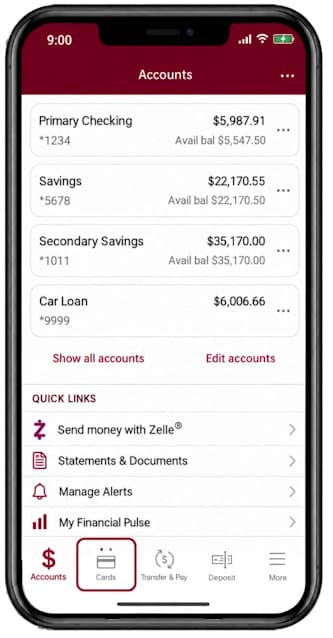
Now there is a simple way to manage your debit and credit cards. From our mobile app and online banking, simply choose ‘My Cards’ or ‘Cards’ in the menu to protect, control and engage with your cards in a seamless digital environment.
Our card controls include instant card activations, clear transaction details, enhanced fraud protection, and more options to manage your cards anytime, anywhere.
You can:
- Report lost or stolen cards quickly with built-in fraud protection
- See detailed merchant and transaction information
- View spending insights
- Activate cards instantly
- Add cards to digital wallet
- Set spending limits based on location, amount, merchant and transaction type
- Create travel plan notifications
- Turn cards on or off anytime if misplaced, lost or stolen
- View, manage and redeem rewards for VISA Reward cardholders
Note: The previous AHCU Card Manager Portal will be discontinued on October 19.
Want to learn more?
Choose the topics that interests you most in the video.

How to get started
Log into online banking or the mobile app. Once logged in, the menu will show ‘Cards’ or ‘My Cards’ as options. Select one to begin using the many features of card management.
Mobile App
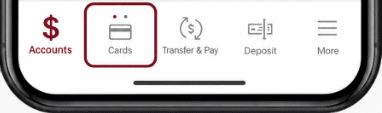
On the bottom menu select ‘Cards’ on any page.
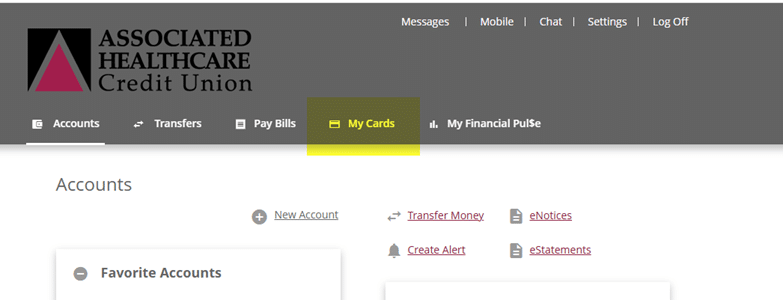
Online Banking
On the menu, select ‘My Cards’.
Download the AHCU Mobile App today!