

AHCU Card Manager
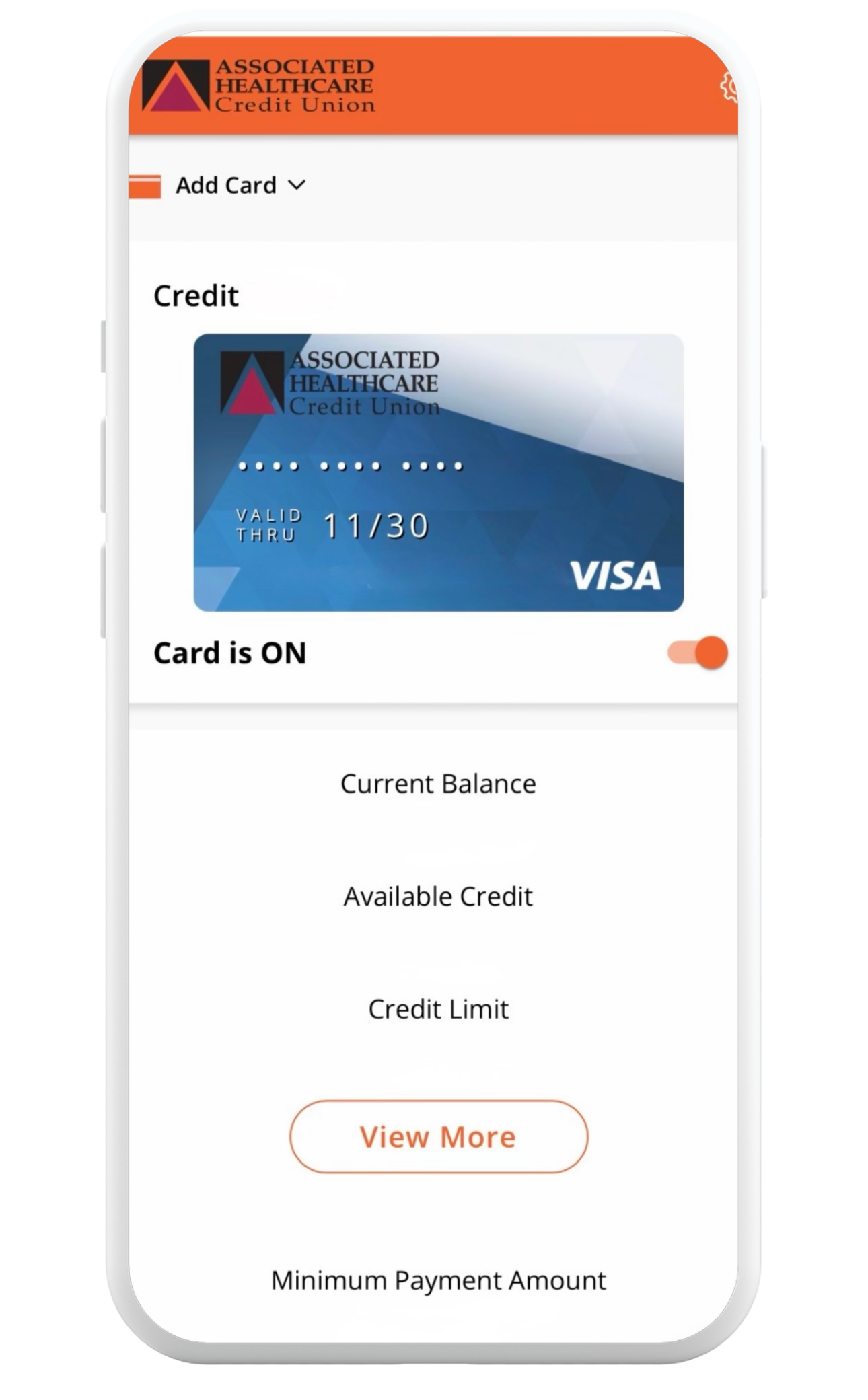
A better card experience is at your fingertips with the new AHCU Card Manager now available for AHCU Debit and Credit Cards.
Do Even More with the AHCU Card Manager
Ready for an easier way to manage your cards? Our enhanced AHCU Card Manager experience gives you greater control, convenience, and security all in one place.
The previous AHCU Card Manager App has been discontinued and replaced with our new upgraded Card Manager Portal, featuring instant card activations, clearer transaction details, enhanced fraud protection, and more powerful tools to manage your cards anytime, anywhere.
Take control of your cards with powerful tools for security, convenience and spending insights.
- Report lost or stolen cards quickly with built-in fraud protection
- See detailed merchant and transaction information
- View spending insights in one place
- Activate cards instantly
- Set spending controls and travel notifications
- Turn cards on or off anytime
Soon, reward points for VISA Reward Cardholders will be available in the Card Manager.
How to Get Started with the AHCU Card Manager
1. Access the AHCU Card Manager Portal
You can access the Card Manager here, through the AHCU Mobile App or Online Banking.
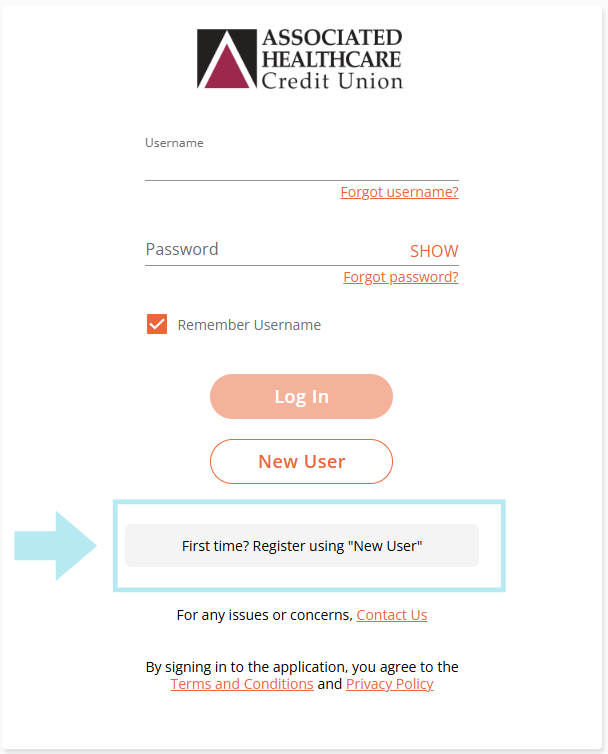
You will need to register as a New User if using the new Card Manager for the first time using an email as your username. This will not be the same login you use for online banking or the mobile app.
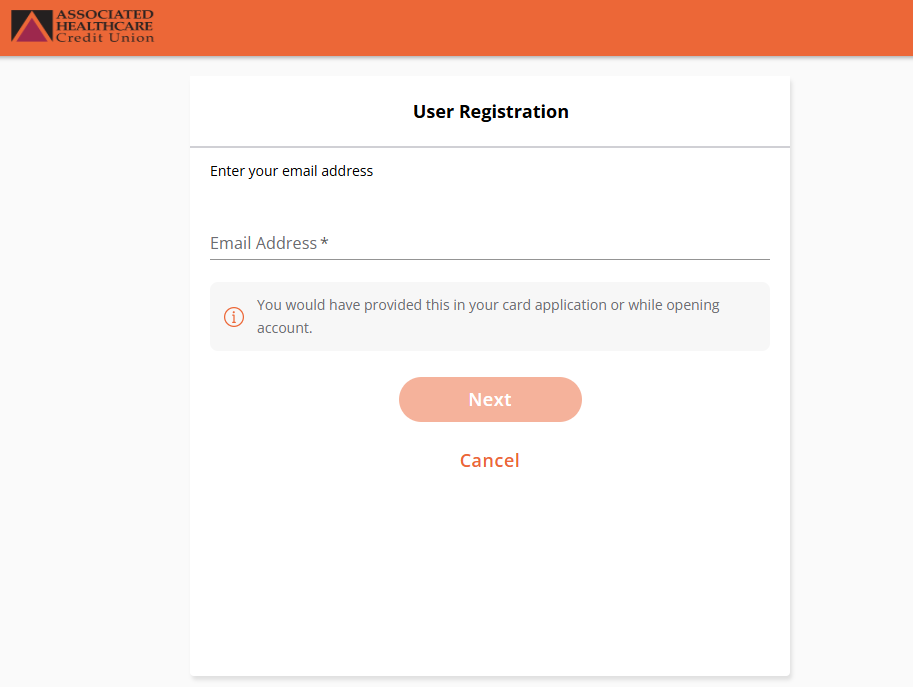
2. Register as New User
Provide your email address to start your new user registration.
3. Add Your Debit or Credit Card
Enter your credit or debit card number.
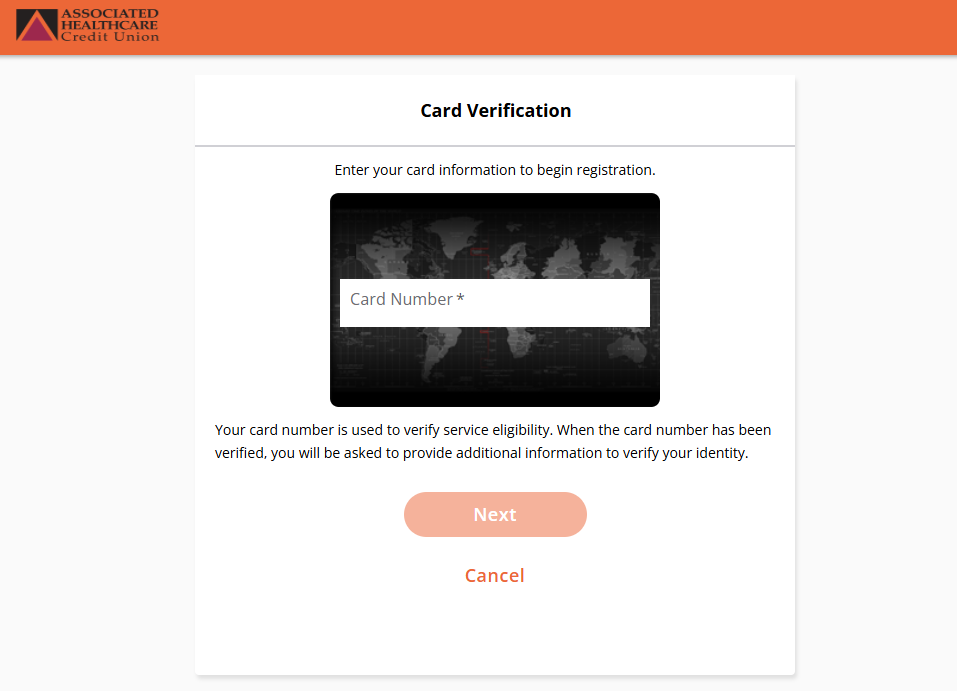
4. Card Verification
Enter Security Code, Street Address, Zip Code and Expiration Date.
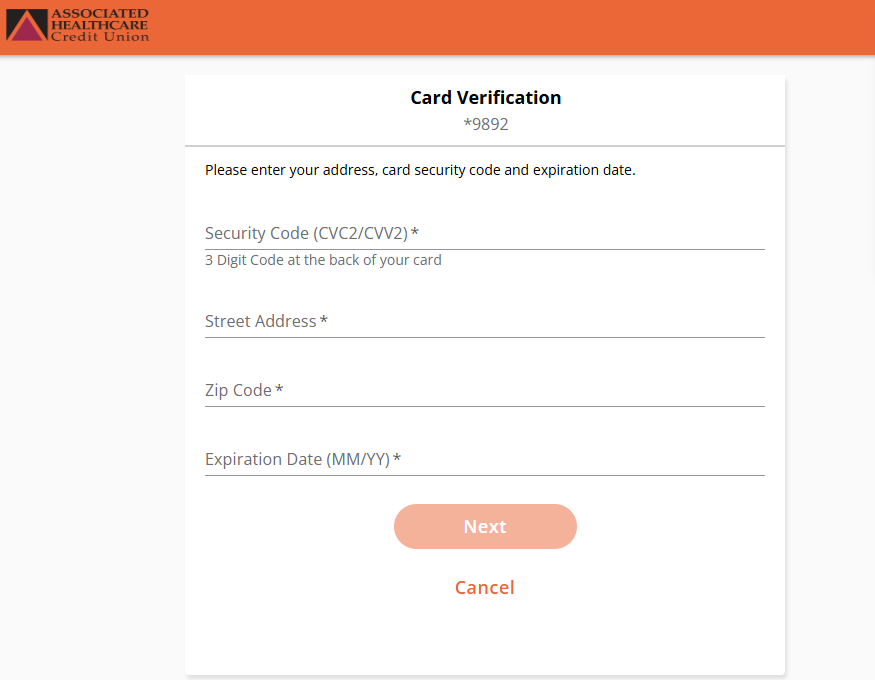
5. User Verification Code
A security token will be sent by text to the phone number associated with the card on file. Enter the security token and click next to proceed.
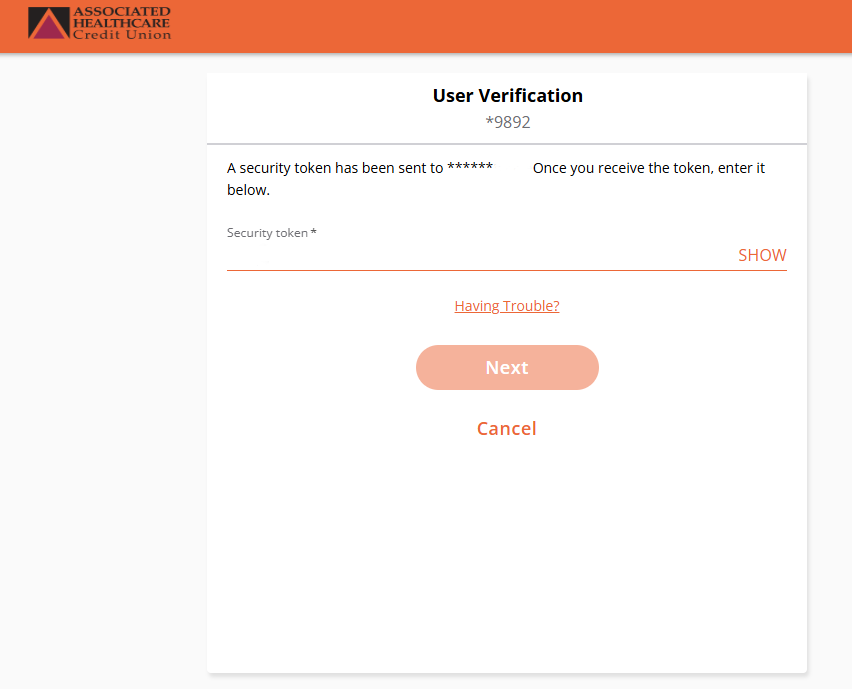
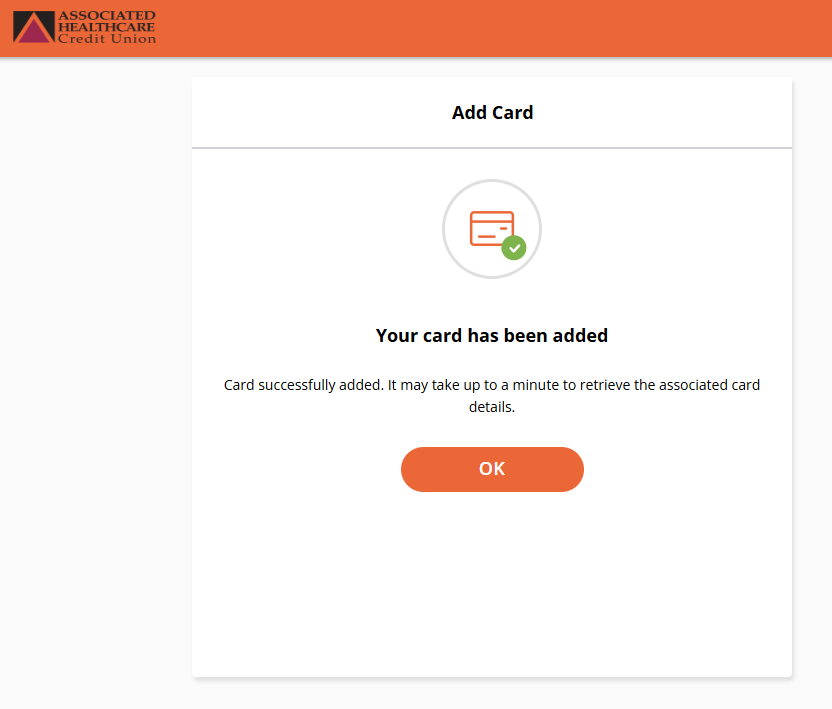
6. Card Has Been Added
After accepting the privacy policy and the terms and conditions, your card will be added. It will be reflected on the main page in your Card Manager Portal.
How to Access the AHCU Card Manager on the AHCU Mobile App
Card Manager Link on AHCU Mobile App Login Screen
On the bottom left corner of the AHCU Mobile App you will see the AHCU Card Manager link.
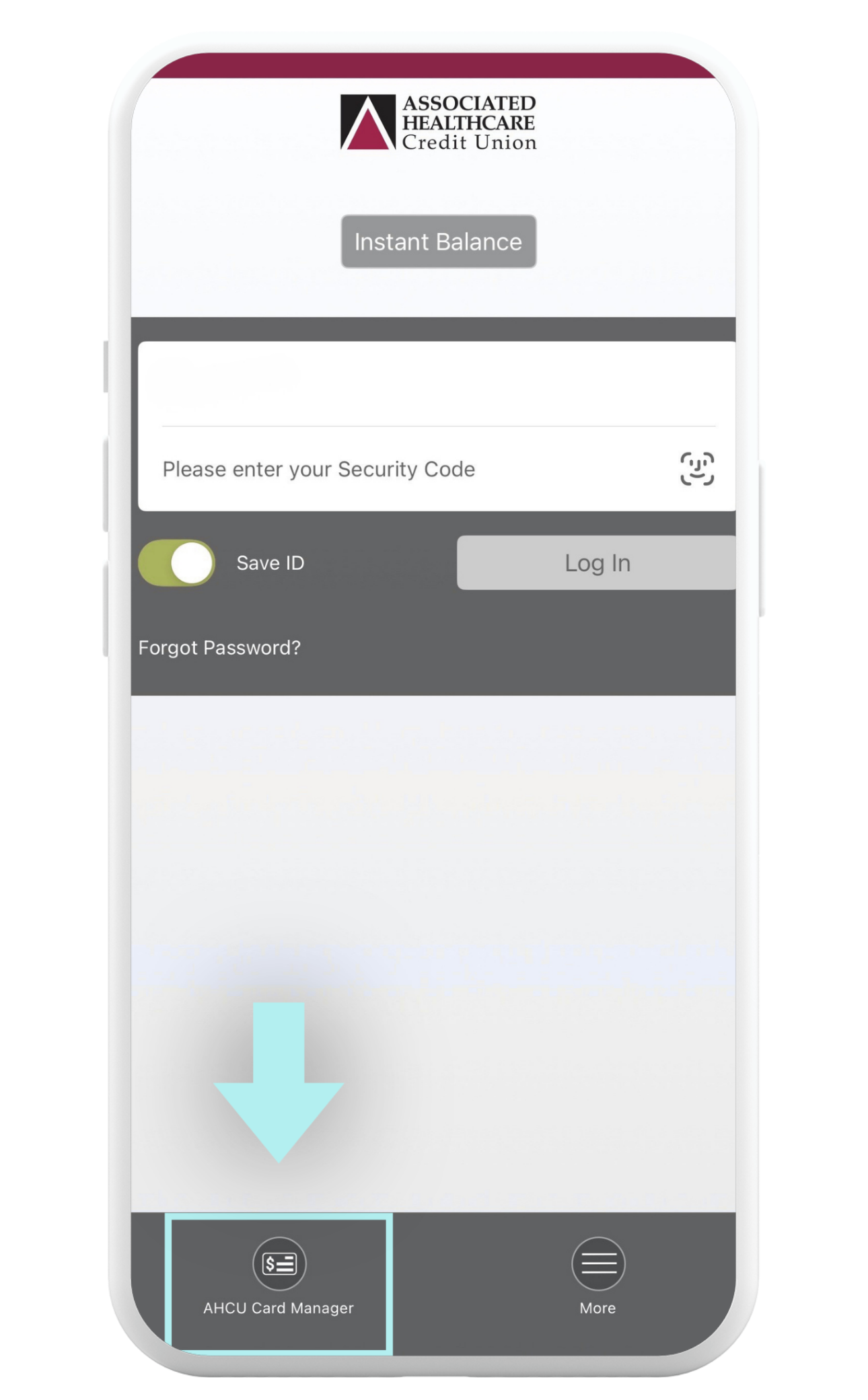
Card Manager Link In-App
You can also find the Card Manager link under the “More” tab.
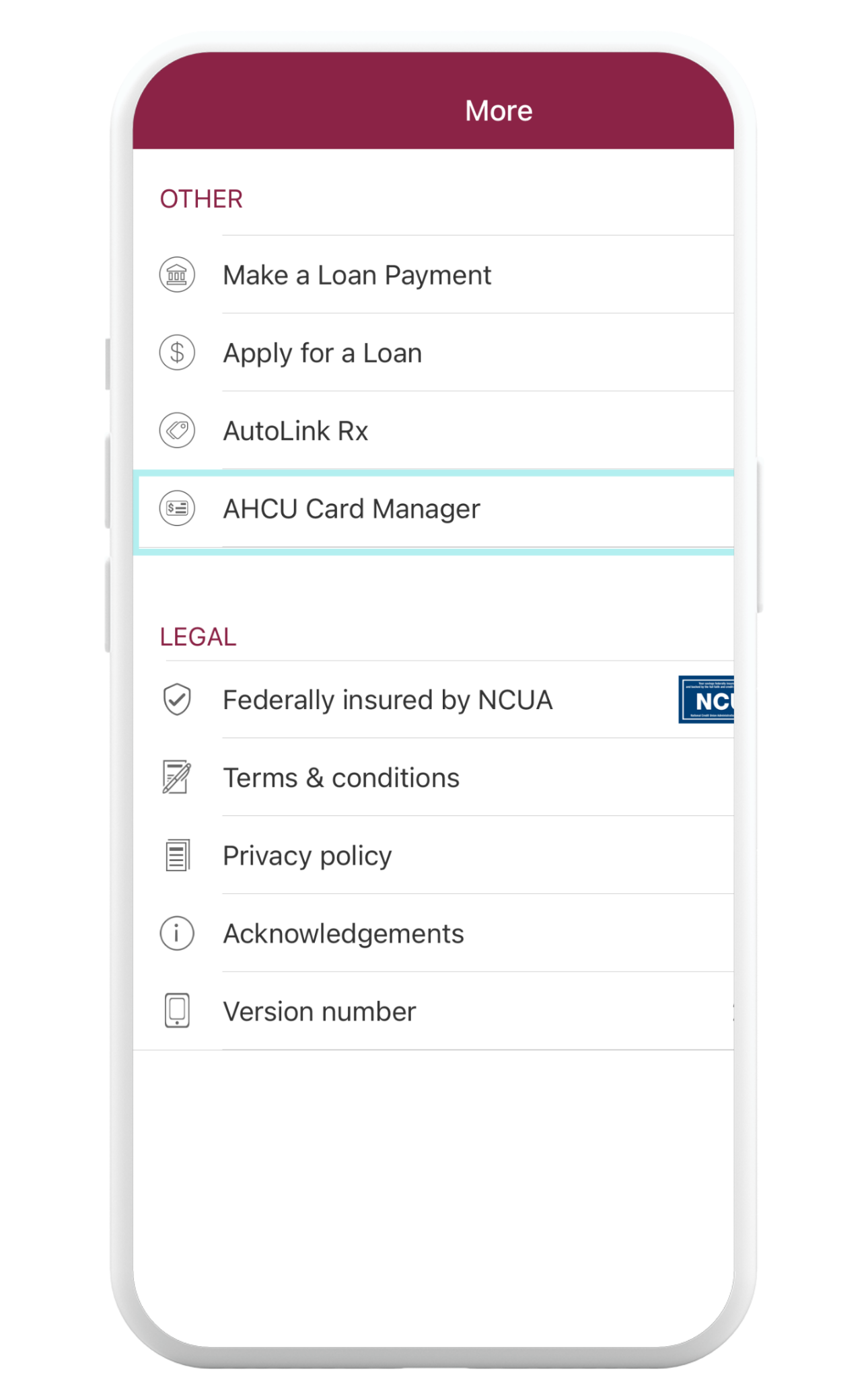
AHCU Card Manager
This is the landing page when you get inside the account
Download the AHCU Mobile App Today!



How to Access the Card Manager from Online Banking
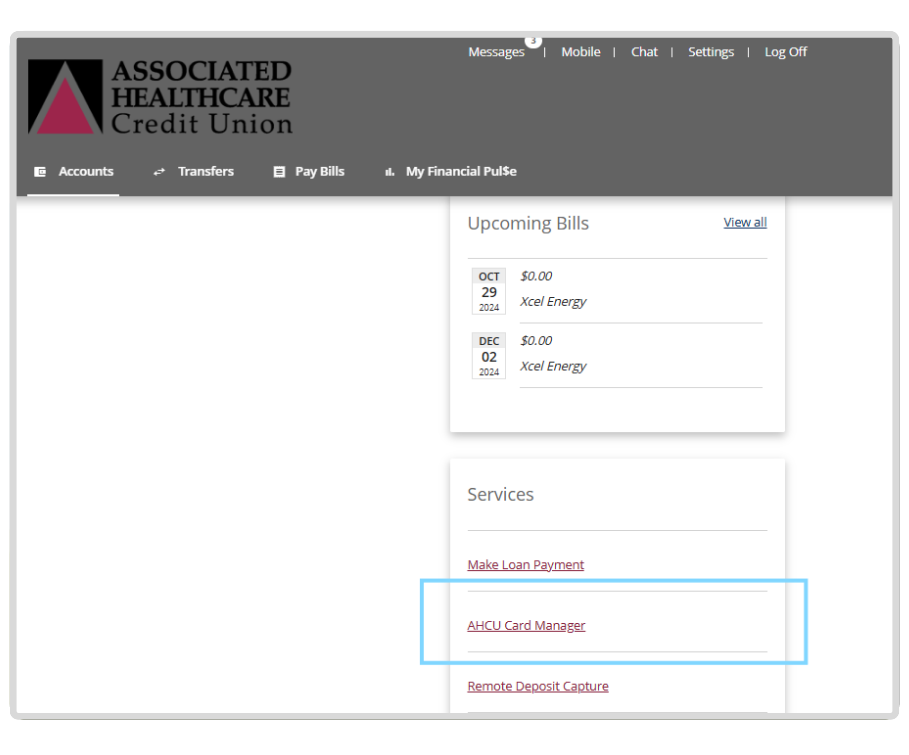
Once you are logged into online banking it the link to the AHCU Card Manager will be under the Services menu.